Why TradingView charts matter for backtesting
You already know the drawings, layouts and how candles look on TradingView. That saves time. Less fumbling with menus, more time taking trades in replay.
Most of these tools are manual bar replay, not a coded strategy engine. Fine if you trade off the chart. Not fine if you need MQL5, NinjaScript or heavy portfolio automation.
In practice, the hard part is sticking to weekly practice: open a session, replay a day, write notes. Staying on a chart you already use makes that easier.
It also helps when you review live trades later. Same chart style in practice and live means fewer “I would have seen that” excuses that only work on a different platform.
- Less time learning a new chart UI
- Easier to compare practice notes with live charts
- Still check free history depth, session caps and journal quality
What TradingView chart backtesting is (and is not)
Here, “backtesting” usually means replaying bars or a full session on a TradingView-style chart. You step through candles, mark levels, place entries with stop loss and take profit, then check the session afterward. Some apps add a journal, tags or analytics. A few put automated or AI backtesting on higher plans.
That is useful for checking how you trade a setup on a chart. It is not the same as a full quant stack with tick data, walk-forward optimisers and portfolio engines. For coded rules, use TradingView’s Pine Strategy Tester or a platform built for code.
Use these tools to practice execution and review. A good replay week does not prove a strategy will make money live.
- Good for: chart practice, playbook drills, journal review
- Weak for: heavy coded optimisation, multi-symbol portfolio research, tick-level work
- Still do: forward demo, realistic costs, enough trades across different markets
How we picked these five
We only listed tools where our compare data says TradingView charts = Yes (or Yes, native). Order matches our current ranking in that group: Tradespad, FX Replay, Traders Casa, TradeZella, then TradingView.
What we cared about: can you actually replay for free, is the journal usable, is pricing clear, and who should skip the tool. Scores average eight categories. They are not a substitute for trying the free plan yourself.
We also checked whether Free is real practice or just a landing-page badge. If Bar Replay is locked until you pay, we say so.
Products and prices change. Re-check our compare table and the vendor site before you subscribe.
1. Tradespad (BBS Score 9.4)
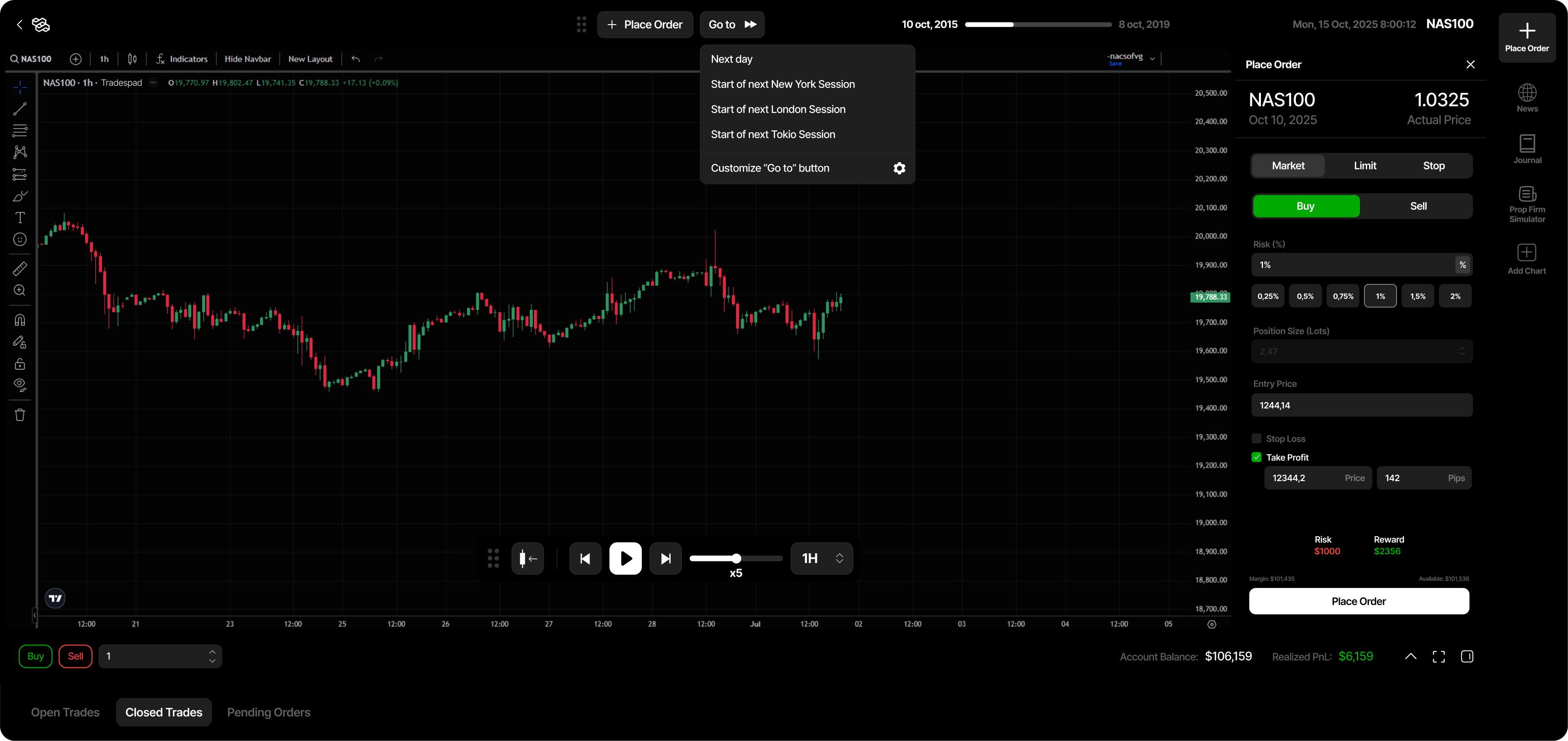
Tradespad is our top pick if you want a journal and TradingView chart backtesting in one place. Bar replay, simulated stop loss and take profit, and a free forever plan you can actually start on.
It is manual only. No automated strategy engine. Good fit if you want a simple journal plus TV replay. Skip it if you need coded research or a big AI journal suite.
In our testing the UI stayed out of the way: fewer panels, clear order placement, journal next to the session instead of in another tab. That sounds small until you have quit denser tools after a week.
Check Free session and history caps before you plan a long block of work. Basic and Pro mostly buy capacity (accounts, history, analytics, more sessions) and broker auto-sync for live journaling.
- Best for: free-first manual TV backtesting with journaling
- Watch for: Free session and history caps; no automated engine
- Starts from: $0 (Free), then Basic and Pro for more capacity
- Key features: TradingView bar replay, draggable SL/TP, journal linked to sessions, analytics and calendar
2. FX Replay (BBS Score 8.7)
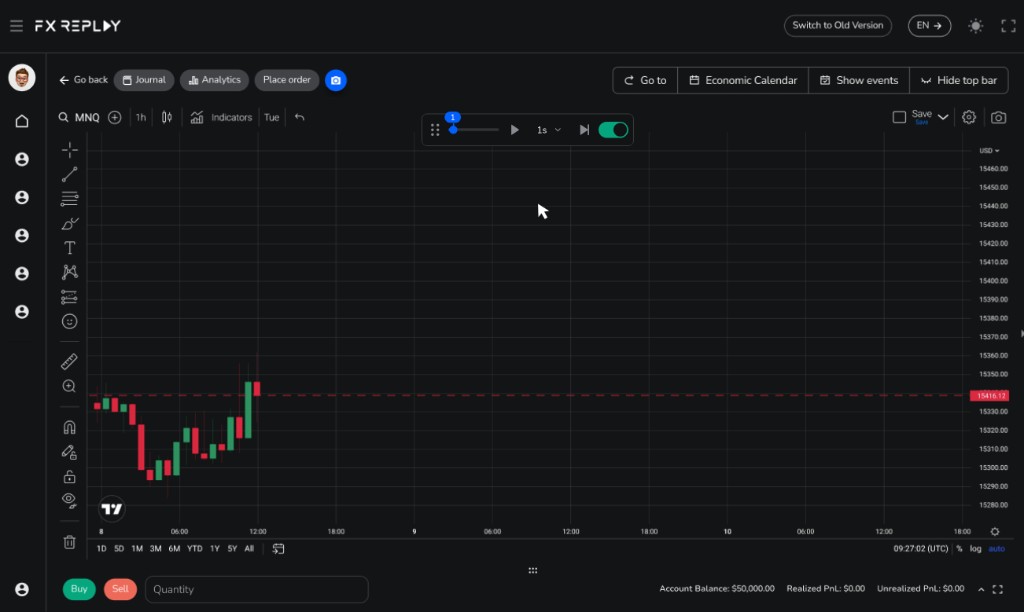
FX Replay is built around market replay on TradingView-powered charts. Strong if you care about practice volume, session analytics and a clear path to Intermediate/Pro. Weaker if you mainly want a cheap forever journal with deep free history.
Beginner Free is real, but the caps are tight: sessions, retention and trade limits. Most people who practice weekly will hit them. Intermediate or Pro is the upgrade once that happens. Pro also adds deeper data and futures coverage.
Workflow is straightforward: place entries, stops and targets on the chart, then review with tags, checklists and analytics. Custom indicators use FXR Script. Your Pine scripts from TradingView.com will not just drop in.
If you need unlimited free sessions or about a year of free history, look at Traders Casa or Tradespad before you lock into FX Replay’s paid tiers.
- Best for: dedicated TradingView market replay with session tools
- Watch for: Free caps; Pine is not drop-in (FXR Script instead)
- Starts from: $0 Beginner, then Intermediate and Pro
- Key features: chart-based replay entries, journal and analytics, Free plus Intermediate/Pro path, Pro data depth
3. Traders Casa (BBS Score 8.3)
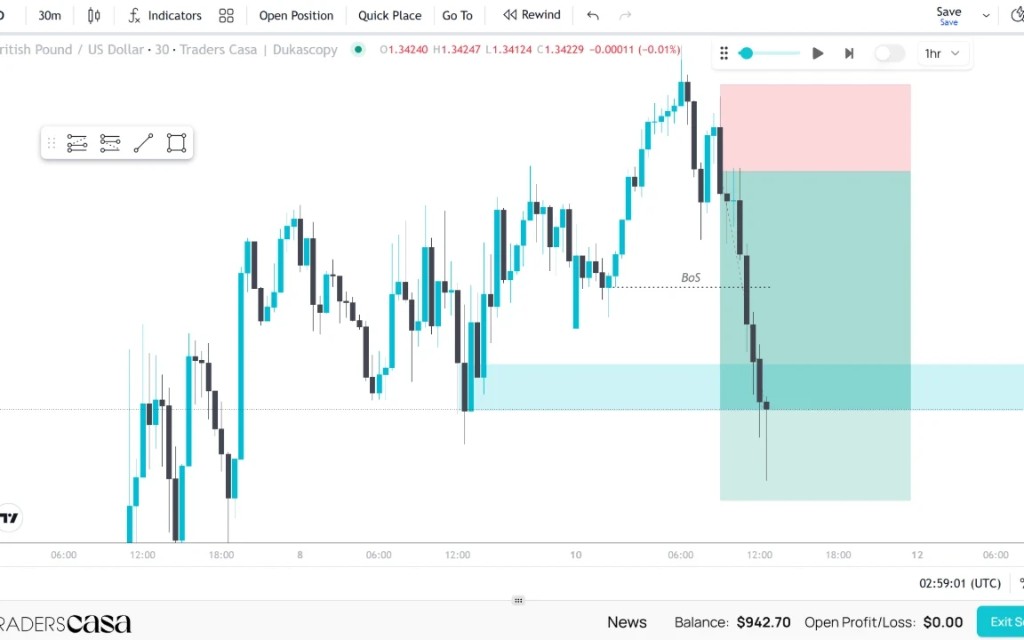
Traders Casa’s main edge is free forever TradingView-powered bar replay with unlimited sessions on Free. Paid plans add deeper history and fuller journaling.
Pick it if you want to put in a lot of chart hours without a session cap getting in the way. Do not assume Free has the same history depth or journal features as Pro.
On Free, history is shallower (around six months in our catalogue) and ads may be present. Basic usually removes ads and extends history. Pro is where deeper history, backtest journaling, live mode and broker sync show up.
Before you build your whole process on Free, check what you lose until you pay. Unlimited sessions are useless if the history window is too short for the setups you trade.
- Best for: unlimited free TV-powered replay sessions
- Watch for: free history limits; fuller live journaling on paid plans
- Starts from: $0 Free, then Basic and Pro
- Key features: unlimited Free sessions, TradingView-powered replay, paid history and journal upgrades
4. TradeZella (BBS Score 8.0)
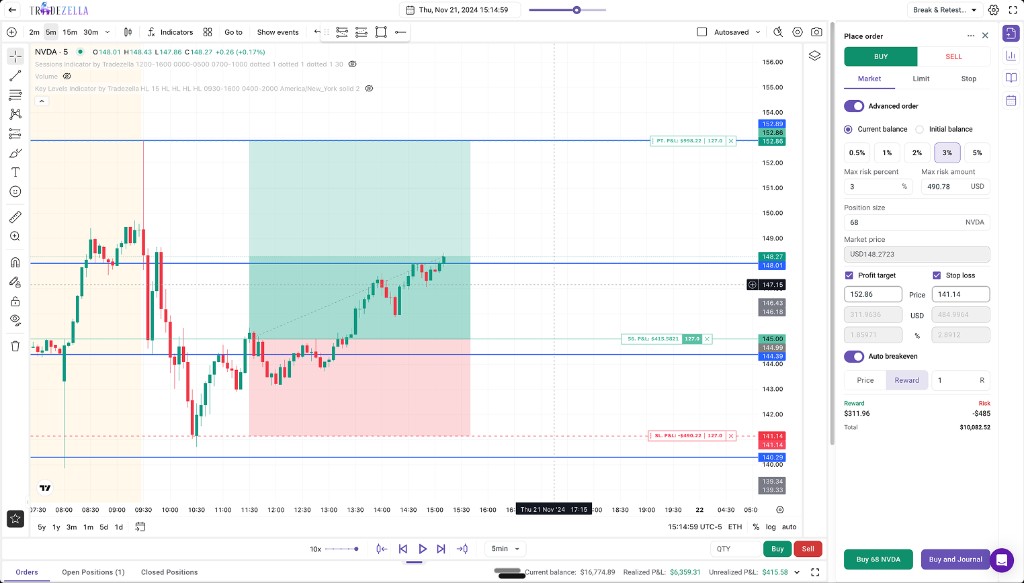
TradeZella is a premium journal with TradingView charts, manual backtesting, trade replay, and automated/AI backtesting on higher plans.
There is no free forever plan in the public pricing we track. Essential starts around $35/month. Fuller replay and automation sit mainly on Pro and Ultra. Buy it for the journal suite, not as your first free TV practice app.
The product feels polished if you want lots of analytics around your trades. If you just want cheap weekly chart practice, Tradespad, FX Replay Free or Traders Casa Free make more sense on price.
Check each plan page. Manual backtesting, trade replay and AI features are not identical on Essential, Pro and Ultra. Pay for the tier that matches what you will open every week.
- Best for: premium journaling with TV charts and gated automation
- Watch for: no free plan; best backtesting features are plan-gated
- Starts from: about $35/mo Essential
- Key features: TV charts, manual backtesting, trade replay, denser AI/analytics on higher plans
5. TradingView Bar Replay (BBS Score 7.6)
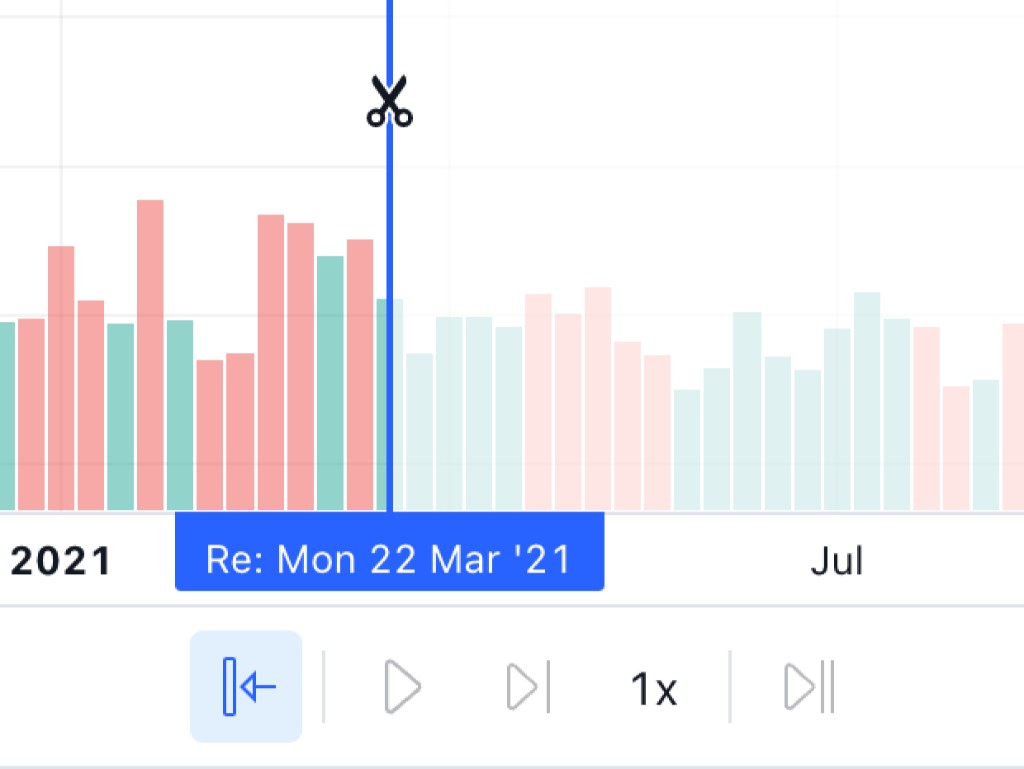
TradingView has native Bar Replay for manual practice and Pine Strategy Tester for automated reports. If you already live in TradingView, you do not learn a second chart product.
Basic free does not include Bar Replay. Manual replay starts on Essential. Deeper 1-minute history comes with Plus and Premium. There is no dedicated backtesting journal like Tradespad or FX Replay.
Bar Replay is fine if you already pay for TradingView for charts or alerts. You keep one bill. What you miss is a proper practice journal: tagging sessions, reviewing like a replay-focused app, and keeping notes next to trades usually means workarounds or a second tool.
Pine Strategy Tester is separate from Bar Replay. Use Bar Replay to practice decisions. Use Strategy Tester for coded rules. A nice equity curve in Strategy Tester does not mean you can execute the same idea by hand.
- Best for: traders already paying for TradingView who want native replay
- Watch for: no free Bar Replay; thin practice journaling
- Starts from: Essential (~$15/mo) for Bar Replay access
- Key features: native Bar Replay, Pine Strategy Tester, multi-market charts, community scripts
Pricing and features compared
Prices move. Check each vendor before you pay. Use the table to pick two tools, then read the full profiles.
Look at Free plan, free history, journal, and whether you need automatic backtesting. A low sticker price does not help if Free cannot support weekly practice.
Starts-from and feature values match our compare catalogue at the time of writing.
| Software | Starts from | Free plan | TV charts | Manual BT | Automatic BT | BT journal | Free history | Paid plans |
|---|---|---|---|---|---|---|---|---|
| Tradespad | $0 | Yes | Yes | Yes | No | Yes (limited on Free) | 1 year | Free / Basic ($19) / Pro ($29) |
| FX Replay | $0 | Yes | Yes | Yes | No | Yes | 1 month | Free / Intermediate ($17.99) / Pro ($35) |
| Traders Casa | $0 | Yes | Yes | Yes | No | Pro plan | 6 months | Free / Basic (~$9/4wk) / Pro (~$30/4wk) |
| TradeZella | $35/mo | No | Yes | Yes | Plan-gated | Yes | No free plan | Essential ($35) / Pro ($59) / Ultra ($99) |
| TradingView | $15/mo | No | Yes (native) | Paid (Essential+) | Yes | No dedicated journal | No free Bar Replay | Essential ($15) / Plus ($35) / Premium ($70) / Ultimate ($240) |
- Free TV replay + journal first: Tradespad
- Unlimited free sessions priority: Traders Casa
- Dedicated replay with paid depth: FX Replay
- Premium AI journal suite: TradeZella
- Stay on your TradingView sub: TradingView Bar Replay
Mistakes to avoid with TradingView replay tools
Do not draw levels with the full chart visible and pretend that was your live read. Hide the right side, decide, then reveal the next bars.
Add spread and slippage in your head (or in the tool if it supports it). Perfect fills every time make results look better than they are.
One good EURUSD session is not enough. Practice across more days and at least a few symbols you actually trade.
Write something down after the session. Tag mistakes or take a screenshot. Replay with no notes is just watching candles.
- No peeking at future bars
- Assume worse fills than ideal
- More than a handful of sessions
- Notes in a journal, not only in your head
How to choose among them
If you will not pay yet, start with Tradespad or Traders Casa. If you already pay TradingView Essential+, try native Bar Replay before adding another bill.
Want a solid journal next to replay? Tradespad or TradeZella. Want maximum replay practice? FX Replay or Traders Casa.
None of these replace MetaTrader 5 or NinjaTrader for coded EAs or futures automation. Use TradingView-chart tools for manual practice. Use a Strategy Tester when the rules are code.
Practical approach: pick one free or current plan, practice for a week, then decide if you need more journal depth, history or automation.
FAQ: TradingView backtesting software
Common questions about TradingView chart backtesting tools, free plans, Pine Script and who should pay for a dedicated app. Confirm live pricing on each vendor site before you subscribe.
Next step
Open the comparison table, filter TradingView charts, keep two or three rows. Read the full reviews for Tradespad, FX Replay, Traders Casa, TradeZella and TradingView.
Then use the free plan or trial for a week. Our BBS Score is a starting point from hands-on testing, not a replacement for your own practice.
For a wider framework, see our guides on choosing backtesting software, common mistakes, and what a backtest can prove. Pick the tool you will actually open, not the longest feature list.